
Dangerous Mode
Advanced, opt-in options that bypass normal BCX permission checks.
Advanced users only. Dangerous Mode unlocks options that change how rules are applied in ways normal BCX permission checks would otherwise block. Enable it only if you understand the consequences.
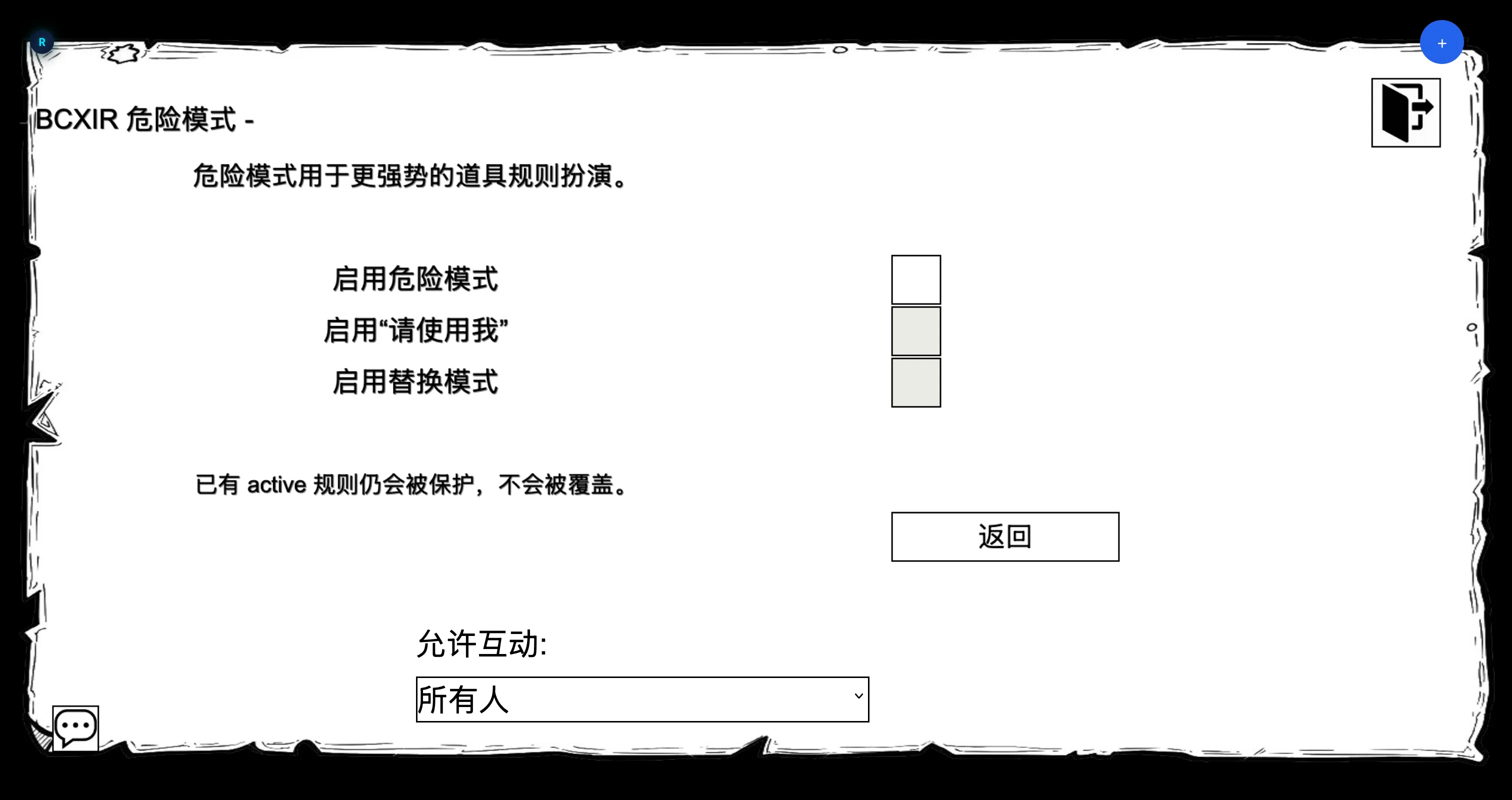
Dangerous Mode is a separate, opt-in settings page with its own master switch. The two risky options below are independent child switches that can only be changed after the master switch is enabled.
dangerModeEnabled: boolean            // master switch (default false)
unlockUseMeMode: boolean              // child: "Please use me" (default false)
useMeSuspendInactiveConflicts: boolean // child: replacement behavior (default false)
If the master switch is off, both child switches are forced off, and a stored Please use me runtime mode falls back to Item creator.
Please use me
Please use me is an advanced runtime permission mode. It appears in the Runtime selector only after both Dangerous Mode and the Please use me child switch are enabled. When active, the Runtime mode cycles through Item creator → Myself → Please use me.
What it does:
- Applies BCXIR item rules through BCX’s own hidden-query handlers using a temporary local operator character.
- During the query batch, BCXIR lets that operator act as a high-trust local owner identity so item rules can be applied even when normal BCX permission checks would block self changes.
- The operator is not drawn, not synced to the server, and is removed in
finally-style cleanup after the query resolves or times out. - It does not directly edit
Player.ExtensionSettings.BCX. It relies on BCX’s own create/update/delete handlers rather than rewriting the BCX save blob.
If BCX rejects a query, times out, or changes its hidden-query behavior, BCXIR fails closed and reports a conflict.
Replacement Mode (suspend inactive conflicts)
Controlled by its own child switch (useMeSuspendInactiveConflicts). It changes how BCXIR handles a same-name rule that already exists but is inactive:
- Existing active rules are always protected — never overwritten.
- With this option off, an existing inactive same-name rule is skipped.
- With this option on, an existing inactive same-name condition can be saved as
previousCondition, temporarily replaced by the BCXIR rule, and restored when the item rule is removed.
If a managed rule is changed outside BCXIR, BCXIR releases management and does not overwrite or restore over the external change.
Safety summary
- Both options require the Dangerous Mode master switch first, and are explicit opt-ins.
- BCXIR uses BCX’s own handlers rather than importing/rewriting the full BCX configuration.
- Existing active, unmanaged rules are never overwritten.
- Temporary operator characters are always cleaned up, including on timeout or rejection.
For normal use, you do not need Dangerous Mode. The default Item creator mode and standard sharing cover the typical workflow.